Tuesday, January 11, 2011

Web Content Wizard is Fixed AGAIN!

Back in 2006, I released this little tool for Google Calendar called the Web Content Wizard. With it, you can add your own "web content events" in Google Calendar. Unfortunately, there is no way to add such events so via the Google Calendar UI, so normally your only alternative is to do some gnarly web programming to talk to GData.

Things were going well until one day, the Web Content wizard just broke. The GData team changed something on their end which caused my poor little app to stop working. If I remember correctly, it was because they created this new thing about registering your web application. I learned of the problem because some users wrote in, and eventually sometime I finally found the time to debug the problem and fix it.

Then things were going well again for awhile, but then in late 2009 (when I had some newfound free time), I decided that it was finally time to migrate bolinfest.com from the Red Hat 9 server it had been running on since 2003! I had a VPS from RimuHosting (who rocks btw!) that I acquired in 2006 for my mitcalendars.com project with Mike Lambert, but I had never had the time to move my content from bolinfest.com over there. (Getting PHP 5 with its native JSON parsing methods was what finally put my over the edge, as I repeatedly failed at compiling them myself for the version of PHP 4 that was running on Shrike.)

As you can imagine, not everything worked when I did the migration in 2009. Honestly, I probably should have just gotten an even newer VPS then and migrated both servers, as now bolinfest.com is running on a dusty version of Ubuntu 8.04! (I'm running version 0.9.5 of Mercurial, which means that I don't even have the rebase extension!) Anyway, when I did the migration, I was far more preoccupied with migrating my conf files for Apache from 1.3 to 2.0 than I was with getting the Web Content Wizard to work again. Every endeavor of mine involving GData always involves a minimum of 3 hours work and a lot of cursing, and I just wasn't up for it.

Then today I got another polite email asking me why the Web Content Wizard wasn't working. I have amassed quite a few of these over the years, and I generally star them in my inbox, yet never make the time to investigate what was wrong. But for some reason, tonight I felt motivated, so I dug in and decided to debug it. I [wrongly] assumed that GData had changed on me again, so I focused my efforts there first. Surprisingly, the bulk of my time was spent getting the right error message out of PHP, as all it told me was that my request to the GData server was returning a 400. Now, I know GData is pretty lousy at a lot of things, but when it gives you a 400, in my experience, at least it gives you a reason!

I use cURL under the hood to communicate with GData from PHP, and that has never been pretty. I thought I remembered editing something in /etc/php.ini (which was now at /etc/php5/apache2/php.ini) to get cURL working correctly on the old bolinfest.com, but I could not remember what it was, nor did I appear to have documented it.

The key insight occurred when I changed this call to curl_setopt() to set the CURLOPT_FAILONERROR option to false:
curl_setopt($ch, CURLOPT_FAILONERROR, false);
Suddenly, my requests to GData contained a real error message:
The value following "version" in the XML declaration must be a quoted string
This did not make any sense because I was sure that I was sending well-formed XML to GData and it contained the <?xml version="1.0"?> preamble as it should. I decided to print it back out to make sure that things were being sent as I expected, but when I did so, I noticed that all of my double-quotes were inexplicably escaped with backslashes. That explained why the error message was complaining about well-formed XML, but not where the backslashes came from.

Then it dawned on me: php.ini has a bunch of stupid settings with the word magic in them. Sure enough, I did a search for [php HTTP_POST_VARS escape quotes], which eventually led me to the documentation for the PHP function stripslashes(), which finally led me to the documentation for magic_quotes_gpc, which basically says: "Because the average PHP developer is so likely to Little Bobby Tables himself, we put the coding behaviors for adults on a high shelf where little PHP developers can't reach them and automatically backslash escape quotes because said developers are so likely to cram that string directly into a SQL statement without escaping it."

I immediately changed the line in php.ini to magic_quotes_gpc = Off, restarted Apache, and all of a sudden, the Web Content Wizard was fixed AGAIN!

At least until my next server upgrade...

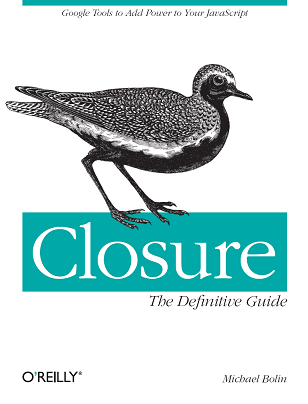
Want to learn more about Closure? Pick up a copy of my new book, Closure: The Definitive Guide (O'Reilly), and learn how to build sophisticated web applications like Gmail and Google Maps!

Wednesday, January 5, 2011

Released a new version of plovr so I can show it off at my two Closure lectures this Thursday

I just released a new version of plovr in time for the two talks on Closure I am giving this Thursday. The first is a guest lecture for an MIT web programming competition: 6.470. My understanding is that the course attracts a lot of freshmen, so my hope is that plovr can help those who are new to JavaScript leverage the Closure Compiler to help them identify their JavaScript errors (of which there are likely to be many!). This motivated me to fix some annoying issues in plovr that have been lingering for awhile (which the early adopters have been nice enough to put up with for far too long :).

The second talk I am going to give is part of the Boston JS Meetup, which I am very excited to attend for the first time. I'm looking forward to talking to the group and showing off what both Closure and plovr can offer to those in industry.

Also, up until now, I have been making decisions autonomously about new plovr features and config options because I did not have a good way to gather feedback from users other than the bug reports I received. To that end, I finally decided to create a Google Group for plovr where users can help influence plovr development and ask questions about how to use plovr. As I noted in the Closure Library group, I would like to extend plovr to help with CSS management and developing against jQuery (among other things), and I believe these features will only be useful to others if prospective users participate in the discussion. We'll see how all of that works out.

Finally, one interesting engineering challenge that has plagued plovr since its inception (but has finally been slayed!) is the question of how to manage its dependency on the Closure Library, Closure Compiler, and Closure Templates. With a considerable amount of help from Ilia Mirkin (and a lot of SVN and Hg gymnastics), I finally have a system that I am happy with. Basically, it requires creating a branch for each dependent project to which updates are periodically added and then merged into the main repository. As this is a general problem for open-source projects, I documented it thoroughly on the plovr wiki.

Although it was tricky to set up, it is now possible to build plovr without checking out the other Closure projects. (Previously, a new version of plovr would include my own local checkouts of the closure-library, closure-compiler, and closure-templates repositories, which were at somewhat arbitrary revisions with possibly even more arbitrary/undocumented patches of my own in them.) Further, because plovr has its own clones of the Closure projects in its repository, it is far easier to modify Closure code if it needs to be edited for plovr. For example, it was now trivial to make the constructor of com.google.javascript.jscomp.Result public, whereas previously I would have had to create a completely separate binary for the Closure Compiler with this one modification and then replace it with the one in plovr's lib directory. Further, I would forever have to keep my checkout of the Closure Compiler with the modification around so that I could make further modifications in the future while no outside developer would have any insight into that process -- no more!

This also allowed me to clean up the build process for plovr and remove some unnecessary and/or duplicate dependencies. The release of plovr I did back in December was 11.7 MB, but the new release is down to 8.4 MB, which is the smallest plovr jar I have ever published! Things are definitely moving in the right direction for the project.

Want to learn more about Closure? Pick up a copy of my new book, Closure: The Definitive Guide (O'Reilly), and learn how to build sophisticated web applications like Gmail and Google Maps!

Monday, December 27, 2010

I got a new computer for Christmas! Sorta...

About a year ago, I bought myself a Lenovo ThinkPad (T500). Because I had been working at Google from 2005-2009 and my work laptop was sufficient for surfing the Web while at home, my last personal laptop purchase was in 2004 when I bought an IBM ThinkPad (T42). I loved my ThinkPad, as I spent many hours of quality time with it implementing my Master's thesis at MIT.

Therefore, when it came time to buy a new machine in 2009, I decided to look at ThinkPads. Yes, I had heard that the quality of the ThinkPad had dropped considerably ever since Lenovo had taken things over from IBM. Yes, all my friends were developing on Macs, but I found them to be irritating to type on and my primary development applications (Google Chrome and Eclipse) felt slow on OS X. And yes, Windows has more than its share of annoyances. At the time, ThinkPads were shipping with Vista (arguably one of the worst Windows releases ever), but they came with a voucher for a free copy of Windows 7, which was reported to be a substantial improvement.

After weighing all of my options, I decided to save some cash and buck the trend of my contemporaries: I chose to be a PC instead of a Mac.

From the abysmal experience of making my online purchase of a Lenovo ThinkPad, I should have known that my experience with the machine itself would also be a disaster. The Lenovo web site was slow and failed to communicate what I was buying. I inadvertently bought a machine with a 32-bit processor (I still don't know why any new machine in the fall of 2009 would not be 64-bit), which could not take advantage of the 4GB of RAM that I paid for. (Searching online forums, I do not appear to be the only one who has made this mistake.) Further, it took two to three weeks to get my laptop. If I had decided to buy a Mac, I could have just walked to the Apple store and had one in my hot little hands that day.

Then there was Vista. Vista makes me angry. Sometimes when my laptop goes to sleep, it also turns off the wireless radio and fails to turn it back on when the machine wakes up. Sometimes the physical buttons to control the volume of the laptop fail to communicate with Vista. (Being unable to control the volume of your computer can be an embarrassing experience.) Sometimes the built-in video camera works, sometimes it doesn't, but either way, rebooting (the go-to solution for any Windows user) is an unreliable fix for the problem. The DVD drive is also finicky, as it inexplicably pops open from time to time. Overall, this is a horrible experience.

But hey, what about that Windows 7 voucher? Apparently you had to redeem it by calling Lenovo customer support after Windows 7 was officially released, which was several weeks after I got my ThinkPad. "Call Lenovo" sat near the bottom of my to-do list for months (who is eager to call customer support?), so by the time I made time to call Lenovo, they told me that my voucher had expired. I complained and they said they would speak to someone and contact me with a response, but they never did.

After all of this, I was incredibly unhappy with my ThinkPad. I wanted to try to put Linux on it, but I had a number of speaking engagements coming up where I was going to present from my laptop, so it did not seem prudent to wipe my machine before embarking on a series of talks. Though even after my speaking series was over, it was hard to find the time to sit down and install Linux. I had never done it by myself before, and I wanted to take the time to read up on it so I could understand what I was doing and have a backup plan in case I was unsuccessful and needed to revert back.

This year, on Christmas Day, I decided to just go for it and install Ubuntu on my ThinkPad. I copied the .iso onto a USB stick, wedged it in the side of my ThinkPad, and rebooted. I hit F1 to change the bootloader to run off the USB stick and made it to the Ubuntu installation screen. I spent a bit of time playing with options to repartition my hard disk so that I could preserve Vista and my files in case I needed to get them back (for me, this has always been the most confusing part when trying to step through a Linux installation), but I got fed up and decided that all of my important data was in the cloud (which includes Mercurial and SVN repos on other machines) and that I had no desire to go back to Vista anyway, so I decided to dedicate the entire hard disk to Ubuntu and abandon Vista forever.

When I decided to blow away my operating system, I knew that it would likely be a rash decision that I would pay for later, but so far, it has been FREAKING AWESOME! The physical volume buttons on the ThinkPad just work. The Google Talk plugin for Linux also just works. And instead of the dual, competing gaudy wireless managers in Vista (one provided by Windows and the other provided by Lenovo), there is now a single, simple icon/dropdown interface in the toolbar to select a wireless network, just like on OS X.

Using my laptop is now enjoyable again. It feels like I got a brand new machine, so even though I didn't manage to get the new computer that I really wanted for Christmas, this certainly seems like the next best thing.

Want to learn more about Closure? Pick up a copy of my new book, Closure: The Definitive Guide (O'Reilly), and learn how to build sophisticated web applications like Gmail and Google Maps!

Thursday, October 21, 2010

Slides from MIT Talk

Last week, I gave two talks about Closure in Cambridge: one at Google and the other at MIT CSAIL. I had a great time and fielded lots of good questions from sharp individuals, so I'm looking forward to my next two speaking events in New York City.

As someone requested that I upload my slides, I am more than happy to share them:


I would argue that one of the best parts of the talk is the plovr demo, which sadly is not communicated through the slides. Though if you are in the NYC area, you can come and see such a demo live if you come to one of my upcoming talks! Also, O'Reilly provides me with three copies of my book to give away at each event, so even if you aren't interested in plovr, you are probably interested in the chance to win a free book! (Though I am embarrassed to admit that I don't have the hang of how to run a "giveaway" yet, so at the MIT talk, I ended up giving books to those who hung out the longest to ask questions.)

Though after spending quite a bit of time preparing my talks last week, I am pretty disappointed with my experience creating a presentation with Google Docs. Given that the UI is displayed using HTML and CSS, it should be dead simple to change the color palette of a presentation. For example, I am generally interested in three styles: slide title, plain text, and sample code. Every time I want to set text as sample code, I have to select the text, choose "Courier New" from the font dropdown and then select my code color from the font color picker. Under the hood, there are tons of <div>s with the same inline CSS styles whereas if I created my slides by hand in HTML, I would have many <code> tags that could easily be restyled with a single CSS rule.

Trying to use different themes for Google and MIT for the same presentation would have taken hours because of all the time mousing around to select text and change all the styles, so I didn't even try. I know that Google Docs is nowhere near Keynote or Powerpoint in terms of its feature set, but I didn't realize how far behind it is. It only comes with 15 themes, and I'd argue that none of them are particularly good for a developer who wants to display code samples. I would switch to a Microsoft or an Apple solution, but I am often switching between computers, and the thought of emailing a slide deck around and clogging my inbox with twenty versions of the same presentation is depressing.

There's a good chance that I'll build my own lightweight presentation editor in HTML that is tailored for creating talks by software engineers. I basically had to do something similar in order to write my book, but that's an exciting topic for a future blog post!

Want to learn more about Closure? Pick up a copy of my new book, Closure: The Definitive Guide (O'Reilly), and learn how to build sophisticated web applications like Gmail and Google Maps!

Monday, October 11, 2010

Upcoming Talks

Over the next couple of months, I will be giving several talks about Closure:

October 13: Getting the most out of Closure
Google: Cambridge, MA

October 15: Building a 100K LOC JavaScript application with Google Closure
MIT CSAIL: Cambridge, MA

October 27: Introduction to Closure Tools and plovr
Google: New York, NY (as part of the NYC-GTUG Meetup)

November 10: Compiling your web site: Closure compiler
Location TBA: New York, NY (as part of the Web Performance NY Meetup)

If you are in the area for any of these talks, please come and say hello! I'm also more than happy to sign books (and may even be giving some away!) at each of these talks.

Hopefully, I will also get a chance to speak at both the Boston and NYC JavaScript meetups. I also hope to make it out to the Bay Area, Austin, Chicago, and Sydney (where I seem to have an open invitation!). As I have no official "book tour," my personal travel basically determines when and where I set up speaking events.

Want to learn more about Closure? Pick up a copy of my new book, Closure: The Definitive Guide (O'Reilly), and learn how to build sophisticated web applications like Gmail and Google Maps!

Wednesday, October 6, 2010

Creating a 100K LOC Application in JavaScript with Closure and plovr

Last night at an MIT infosession for Yext, I presented some statistics about the codebase for Yext Rep, which is our free, online reputation management system for local businesses. Rep is a substantial Rich Internet Application (RIA), topping out at just over 144K lines of JavaScript and Closure Templates, which amounts to over 4MB of JavaScript. In the spirit of a traditional RIA, Rep is a single web page that dynamically loads both code and data via AJAX (navigation state is stored in the URL fragment, just like in Gmail).

The first challenge in writing a 100K LOC JavaScript application is managing the codebase. Fortunately, the Closure Library provides both a comprehensive API and a meaningful way to organize dependencies in JavaScript. By using thoughtful namespaces and explicit dependencies, it is easy to find the functionality you are looking for and to build things up without creating cyclical dependencies.

The second challenge, of course, is getting the application to load quickly even though there is 4380K of JavaScript to send down to the browser. Any solution that would prevent Rep from loading quickly would not be an option. As you may have guessed, leveraging Closure makes it possible for us to reduce that 4380K down to 73K, which is less than 2% of the original size. Here is how it breaks down:

KB Technique
4380 Original JavaScript
709 Compilation using the Advanced mode of the Closure Compiler (84% reduction)
215 Dividing the compiled code into modules using plovr (70% reduction)
73 gzip (66% reduction)

One of the less commonly known techniques that we use is dividing JavaScript into modules. This is a feature of the Closure Compiler, but using plovr makes the module splitting feature of the Compiler far more accessible and manageable. Over the weekend, I worked on improving module support in plovr. There are still a few bugs left to shake out, but I plan to do another release of plovr with more detailed documentation on modules soon.

Want to learn more about Closure? Pick up a copy of my new book, Closure: The Definitive Guide (O'Reilly), and learn how to leverage Closure to create your own RIA!

Monday, September 27, 2010

Give a man a fish or teach a man to fish?

Ostensibly, Closure: The Definitive Guide is a book about Closure, a suite of JavaScript tools from Google, but I tried to make it about more than that. It also discusses some of the more subtle aspects of JavaScript, examines the clever aspects of Closure’s design, and espouses best practices for software engineering. That last point is of particular importance to me, because as I explain in the preface, I expect the size of JavaScript codebases to grow quickly in the coming years (if not sooner), and developers will need Closure (or something like it) in order to do JavaScript programming “in the large.”

Therefore, even if you have adamantly committed yourself to jQuery, I think you will learn a lot from this book. As some members of the jQuery community have already begun to concede, jQuery is not the right solution for large software projects. Perhaps jQuery will reach a point where it is redesigned for writing more complex applications, and if it does, I certainly hope it looks to Closure for guidance. If one wants to build something that rivals Gmail or Google Maps in frontend sophistication and performance, then why not look to the toolkit that made those products possible and learn from the design decisions that shaped it?

An alternative interpretation of Closure: The Definitive Guide is that it is just a braindump of everything I learned about web development while at Google. As I chose to spend four years at Google rather than in a PhD program, I often think of the book as my dissertation (though unlike a doctoral thesis, someone will actually read it -- zing!). However, the analogy does not quite fit, as I cannot claim Closure to be a product of my own research. At Google, I was far more often a consumer of Closure than a producer. Yet in the course of writing the book, the balance has shifted, and I have found more time to submit patches, file bug reports, and build tools on top of Closure such as plovr. I think that it was only until I had really gotten into writing the book that I could fully appreciate the entire toolkit and confidently contribute back to all areas of it, knowing that my contributions would be consistent with its underlying principles.

Which brings me to the title of this blog post: Give a man a fish or teach a man to fish? In a world filled with O’Reilly cookbooks and Stack Overflow articles, I often see developers focused on consuming the information that helps them fix the issue that they are currently debugging and then moving on to the next problem. The drawback of this approach is that when that developer encounters a problem that no one has blogged about, he is stuck. Because the Web has always given him fish, he has no idea how to fish when Google cannot find the answer.

For this reason, Closure: The Definitive Guide aims to be a “teach a man to fish” type of book. When I think about my favorite technical books, such as Effective Java by Joshua Bloch, they are the ones that discuss principles as well as practice. When you have the correct mental model for a tool or programming language, it is possible to exploit that knowledge to solve new problems. By comparison, if you limit yourself to solutions that are pasted on message boards, then by definition, you will never be solving problems that have not been solved before (how boring!). Rest assured that at 550 pages, Closure: The Definitive Guide contains plenty of code samples and other practical information, but it also does its best to explain the problems that Closure is designed to solve and why the tools work the way they do.

The book also touches upon other areas related to web development. As mentioned earlier, I care a lot about software engineering, so I include a surprisingly large discussion of Ant, as I believe it is incredibly important to have scripts for automating common tasks (it is not important that they be written in Ant, just that they exist). I even went so far as to create plovr (which is introduced in Appendix C) because I did not feel that the edit-reload-test cycle that one gets out of the box with Closure was fast enough. The book also contains other such “digressions,” such as the section on goog.partial() that goes into considerable detail about function currying and the scope of a closure. In other parts of the book, you will find short asides on security vulnerabilities such as XSS and XSRF (which gave me an excuse to include Exploits of a Mom on page 76!).

In sum, Closure: The Definitive Guide aims to be much more than a manual. (The last thing I wanted to do was produce a tome that was a rehash of documentation that was already freely available online.) Instead, it tries to explain the tools and principles that you need to build a rich web application in JavaScript while demonstrating how Closure employs those principles to be the best tool for the job. If you find that your latest web project is starting to collapse under its own weight, then perhaps it’s time you decided to learn what Closure is all about.